
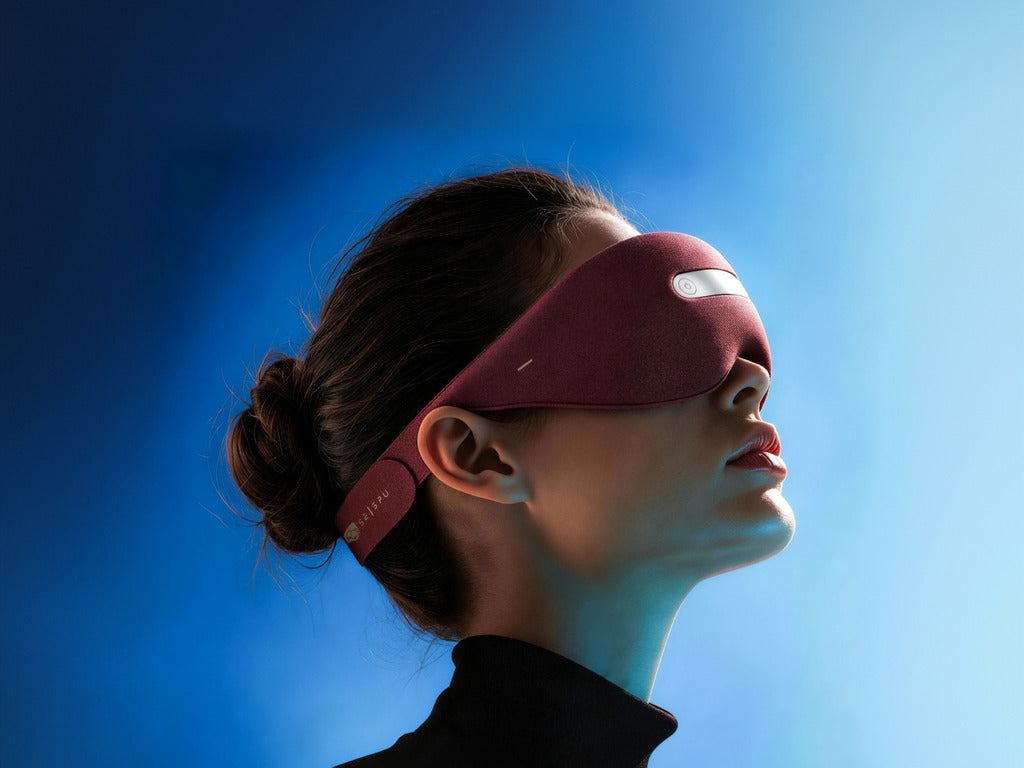
A traditional sleep mask mainly blocks light. The Selepu AI-Powered Neuro Sleep Mask brings more of the nighttime experience into one wearable.
Selepu combines forehead EEG sensing, blackout coverage, built-in audio, adjustable warmth, EMS, vibration and sleep-related insights in the Selepu App.
You can keep the experience simple or adjust it to suit your preferences. Here is how it works.
Selepu at a glance
| Feature | What it does |
|---|---|
| Forehead EEG | Records sleep-related signals for analysis and reports. |
| Blackout coverage | Helps reduce light around the eyes. |
| Built-in audio | Plays compatible white noise and relaxation audio without separate earbuds. |
| Warmth | Provides adjustable warmth from approximately 38–45°C. |
| EMS | Creates an optional mild electrical-pulse sensation. |
| Vibration | Adds an adjustable light tactile sensation. |
| Selepu App | Supports compatible controls, data synchronization and sleep-related reports. |

Step 1: Adjust the fit
A comfortable fit supports both blackout coverage and stable forehead contact.
- Position the sensing area against the forehead.
- Adjust the strap until the mask feels secure.
- Check for light entering around the nose or sides.
- Avoid making the mask unnecessarily tight.
A good fit should reduce light without creating painful pressure around the eyes or forehead.
Step 2: Choose a mode
Selepu offers three ways to begin a session.
| Mode | Best for | How it works |
|---|---|---|
| Offline Mode | Simple use | Use the available offline experience without keeping the app open. |
| AI Mode | A guided session | Follow the available guided program with less manual setup. |
| Custom Mode | More control | Adjust compatible sound, warmth, EMS and vibration settings. |
New to Selepu? Start with Offline Mode. Use Custom Mode later when you want to explore individual settings.
Step 3: Select your preferred relaxation features
You do not need to activate every feature. Choose only what feels comfortable and useful.
Built-in audio
- Choose compatible white noise or relaxation audio.
- Set the volume low enough to remain unobtrusive.
- No separate earbuds are required.
Adjustable warmth
- Temperature range: approximately 38–45°C.
- Begin with a lower setting.
- Remove contact lenses before using heat.
- Turn it down or off if it feels too warm.
EMS
- Creates a mild electrical-pulse sensation.
- Start at the lowest comfortable level.
- Higher intensity is not necessarily better.
Vibration
- Provides an adjustable tactile sensation.
- Approximate range: 4–8 Hz.
- It can be used gently or left off entirely.
Step 4: Let EEG record sleep-related signals
EEG stands for electroencephalography. Sensors positioned against the forehead record electrical activity that supports sleep-related analysis.
After compatible data is synchronized, the Selepu App can present reports that help you review patterns across multiple sessions.
For more useful context, look beyond a single night. Consider whether changes appeared alongside:
- A later bedtime
- Travel or an unfamiliar room
- More evening screen use
- Environmental light or noise
- A change in your wind-down routine
Selepu reports provide general-wellness information. They are not medical sleep studies or diagnoses.

Step 5: Use the Selepu App when needed
The Selepu App brings compatible controls and sleep-related information together.
| In the Selepu App | What you can do |
|---|---|
| Session setup | Select modes and configure compatible settings. |
| Audio | Choose available sounds and adjust volume. |
| Data | Synchronize compatible session information. |
| Reports | Review sleep-related patterns over time. |
You do not need to keep the app open throughout every session. Offline Mode is available when you want a simpler experience.
Your first Selepu session
- Charge Selepu.
- Install and pair the Selepu App.
- Adjust the mask for comfortable forehead contact.
- Start with Offline Mode or another simple setup.
- Keep sound, warmth, EMS and vibration gentle.
- Change one setting at a time.
- Review patterns across several sessions.
Reposition the mask, lower the settings or stop the session if anything feels painful, excessively warm or uncomfortable.
Who is Selepu for?
Selepu may suit people looking for more than a basic blackout mask.
| Selepu may suit you if you want | A simpler mask may suit you if you want |
|---|---|
| EEG sleep-related monitoring | Blackout only |
| Built-in nighttime audio | No app or connected features |
| Optional warmth, EMS and vibration | A lightweight fabric design |
| Different modes and adjustable settings | Minimal setup |
| Reports you can review over time | No sleep-related data |
How Selepu works, in one sentence
The Selepu AI-Powered Neuro Sleep Mask combines blackout comfort, forehead EEG sleep-related monitoring, built-in audio and adjustable relaxation features in one wearable that can remain simple or become more personalized over time.
Frequently asked questions
What does EEG do in Selepu?
Forehead EEG records sleep-related electrical signals that support analysis and reports in the Selepu App.
Can I use Selepu without keeping the app open?
Yes. Offline Mode supports a simpler session without keeping the Selepu App open. Connected setup, synchronization and reports may still require the app.
Do I need to use every feature?
No. Select only the features and intensity levels that feel comfortable.
Is Selepu a medical sleep device?
No. Selepu is a consumer wellness product. Its reports are not medical diagnoses or replacements for professional sleep evaluation.
Explore Selepu
Start with a simple session, explore the features gradually and use your reports to review patterns over time.

Leave a comment
This site is protected by hCaptcha and the hCaptcha Privacy Policy and Terms of Service apply.